BLOG
UX Design for IoT: Mapping the Customer Journey


Great UX Extends Past the Screen
Many UX designers spend their time working in the UI. They’re building a mobile app or a website, and they’re rightfully focused on the layout, user flows in the app, and ensuring that people can navigate and complete tasks within the UI.
But design is a holistic practice, and designing for IoT is no exception. UX for IoT products presents interesting challenges, in large part because a great user experience extends to what’s beyond the UI. When a product needs to be installed and onboarded physically, interacted with physically, and perhaps even maintained physically — while also being interacted with through an app or dashboard — the word “experience” takes on a much broader meaning.
Let’s say your customer is using your product that’s controlled through an app. If there’s lag, the user doesn’t actually care if that’s because of a chip malfunction or a weak WiFi signal. The experience of the end user is what counts, and the end user isn’t going to ask themselves why a product is acting buggy. They’ll simply conclude that the product doesn’t work. That’s why it’s crucial for IoT UX designers to ensure that the product works flawlessly from end to end.
In other words, the designer’s lens must expand beyond the UI.
3 Foundational Tools for IoT Design
If designers are expected to create great user experiences beyond the UI, they’ll require a more expansive approach. There are three major areas in which their methodology expands and transforms:
- Customer Journeys: Customer journeys must be mapped across the entirety of the product journey in order to incorporate hardware interactions & implications.
- IoT Value Feedback Loop: Multi-disciplinary functionality (functionality that requires hardware, software, design, and data science to work together) needs to be assessed and mapped holistically. At Very, we like to use the Value Loop as a foundation for workshopping these complex features, and ensuring no gaps exist.
- Scenario-Driven User Testing: User testing must include scenarios and tasks that span both hardware and software features.
The above tools are not all-encompassing for IoT design, but they’ll provide the foundation a UX designer and product manager need to assess the full scope of the product experience throughout the product development journey.
Using this foundation, you can surface gaps, risks, and issues early and often during the product development process, rather than waiting until product launch day to hear about them from your customers.
In this article, we examine the first item in the toolkit — customer journeys.
Mapping Customer Journeys Across the IoT Product Experience
Getting started with the customer journey is a great place to start. It reminds everyone on the team how the product is only successful if the customer can navigate successfully through all the steps of the journey. Often, we forget that if a customer can’t find the right QR code or can’t clearly understand the installation instructions, they may never even get to experience the full feature set.
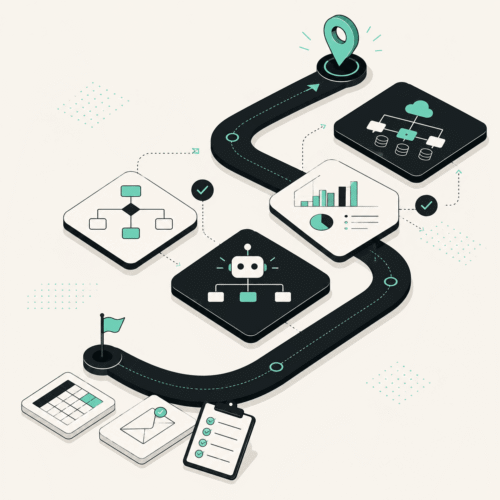
Below, you can see the customer journey map for an IoT product, along with critical questions a designer should be asking themselves and the team at each step.

|
||
|---|---|---|
|
|
|

|
||
|
|
|

|
||
|
|
|
Every Step of the Journey Matters
As you can see, there are quite a few steps in the journey that are outside of the UI or integrated directly with the physical hardware experience.
In our work, visualizing the experience in this way helps the team understand ‘the big picture’ throughout the product development process. This big picture approach prevents a myopic focus on particular features — something that can lead to big misses, such as not ensuring users can connect and onboard successfully.
Here are some examples of how lack of attention at each step can directly impact the user experience:
- Initial Purchase and Advertising: What the marketing team is selling as a top feature is actually ranked 10th in the app by the development team and might even get de-scoped.
- Unboxing: Packaging is cheap. Instructions are so dense and unintelligible that the user just tosses them aside, but now they don’t know where to get started. The protective plastic is supposed to be removed from a hardware component first, but clear instructions are missing. The user is confused (at best), or installs the product wrong (at worst).
- Installation: Cords are missing. Screws come separately. Or maybe it requires heavy DIY or a handyman to install. Expectations on the installation process were not set, and now the user is disappointed because they can’t immediately install.
- Connecting: Connecting a device usually requires it to be ‘on’ and for a QR code or serial number to be scanned. If your QR code is printed on the device in an ‘impossible-to-reach’ location, the UX is impacted.
- Onboard and Initial Setup: Onboarding was too complex and the wifi/cell signal in the room was so weak that the user couldn’t complete the process. The result? The rest of the app is unusable because it can’t receive data from the devices.
- App Feature/Usage: This is where most customers eventually spend their time. If the hardware, firmware, data, software, and UI are not aligned, the lag or disconnection in the product can leave a user confused as to why something isn’t working.
- Troubleshooting: Everyone hits walls. Help your users out by giving them directions, or better yet, recommendations. For example; “I see x happening. This can be due to y. We recommend you try z.” Otherwise, they eventually give up and walk away from the product in their overwhelmed state.
- Maintenance: Apps get software updates. Devices need batteries and other components regularly replaced. If your product needs batteries replaced every month, and it’s difficult to take the device apart to replace them, you won’t have retention for long.
- Decommissioning or Upgrading: The user’s IoT device is now a few years old, and they want the latest model. Great! But if they have to re-program all their favorite settings and automations to do so, they’re going to be frustrated. Ideally you’ve made it possible to port settings over via the app. Allay their worries by letting them know this in advance.
Widening Perspective and Flexing New Skills
As a designer starts opening their perspective, beyond the features in a UI and visuals of an app, a new horizon emerges. It’s initially new territory to assess and evaluate, but quickly becomes second nature.
Championing the customer journey map with the full team — product, hardware, software, and data science — does more than surface potential product experience issues early, however. The process breaks down silos, facilitating the dynamic engagement and tight camaraderie that’s key to developing wildly delightful products.
Exploring Additional Tools
In this article we covered the first of three major areas in which UX designer methodology expands and transforms when designing beyond the UI: customer journeys, the IoT value feedback loop, and scenario-driven user testing.