BLOG
AI Workflow Automation: The 2026 Executive Guide

Your operation runs on processes nobody designed: invoice exceptions cleared by hand, supplier onboarding that lives in email threads, claims triaged by whoever has bandwidth. AI workflow automation is how those processes get rebuilt, and in 2026, it’s the operational lever boards ask about by name.
This guide covers what executives actually need to decide: what AI workflow automation is (and isn’t), where it pays off first, what it costs, how to govern it, and how to scale it from one process to a program without the initiative dying in a sandbox.
What is AI Workflow Automation
AI workflow automation is the redesign of an end-to-end business process with AI embedded at the steps where it outperforms manual work: extraction, classification, drafting, routing, cross-referencing. Human judgment stays at the steps that carry real consequences and require judgment.
Two things it is not:
- It’s not a chat bot. Robotic process automation scripts the keystrokes of your existing process, as-is. It’s brittle, a changed form breaks a bot, and it faithfully automates a process that was never good to begin with. AI workflow automation redesigns the process first, then embeds intelligence that adapts as fast as a prompt.
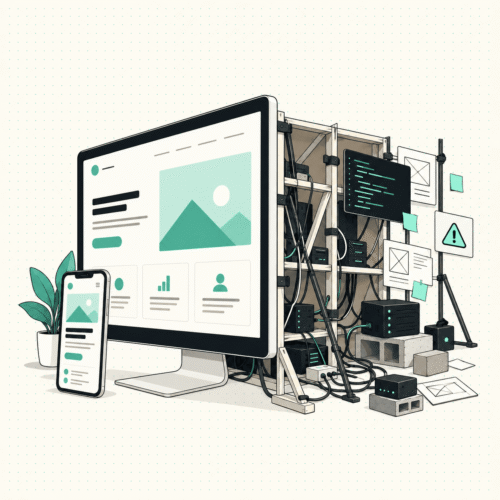
- It’s not another platform. Buying Copilot, ChatGPT, or Claude licenses gives your team a chat window. Adoption data across the market shows the same pattern: without redesigning specific workflows around the platform, usage plateaus at drafting emails. The license is the engine; the workflow is the vehicle.
What it looks like in practice
Take invoice exception handling. Before: an AP specialist opens each flagged invoice, hunts the PO in the ERP, emails the buyer, waits, re-checks, escalates the ambiguous ones, and clears maybe a few dozen a day. After redesign: AI extracts and matches the invoice data, classifies the exception type, drafts the resolution or the buyer query, and routes it while the specialist reviews the judgment-heavy cases and approves anything above threshold. Same team, same platform they already use, a fraction of the cycle time, with accuracy and exception rates measured, not assumed.
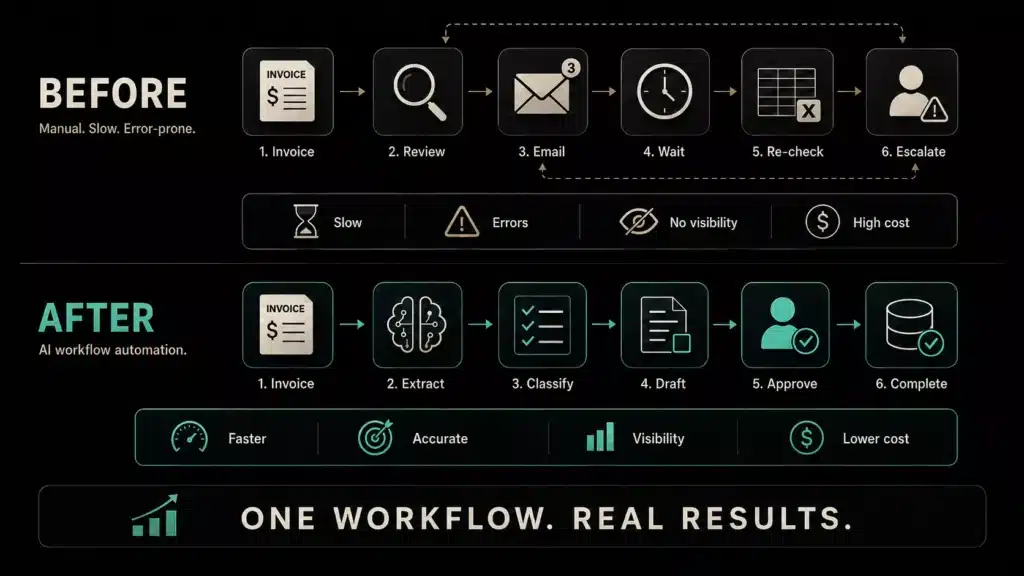
The same shape applies across the back office: order-to-cash, claim-to-resolution, hire-to-onboarded, supplier onboarding, customer service triage, reconciliation.
Where it pays off first
The best first candidates share three traits: high volume, clear rules, painful exceptions. By function:
- Finance operations: invoice exceptions, reconciliation, order-to-cash
- Operations & supply chain: supplier onboarding, order processing, quality reporting
- Healthcare operations: claims, prior authorization, patient intake
- Insurance: claims adjudication, policy administration
- HR and shared services: hire-to-onboarded, employee requests
If a process is consuming a disproportionate share of a team’s week and everyone can name it without thinking, that’s the one.
The rule executives should enforce: Restraint
The most expensive failure mode in AI workflow automation isn’t under-automating, it’s automating everything. A workflow that pushes AI into approval decisions, ambiguous judgment calls, or regulatory steps doesn’t remove work; it manufactures incidents.
The discipline to demand from any team, internal or external: for every step in the redesigned process, a named decision: AI takes it, a human keeps it, or the step disappears entirely. A partner or team that never says “that step should stay human” hasn’t run this in production.
The maturity path: Pilot → Program → Backbone
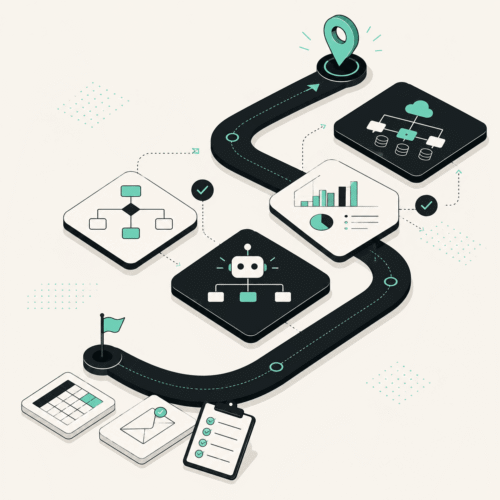
AI workflow automation scales in three recognizable stages. (Not coincidentally, our AI Workflow Sprint is tiered to match them.)
Stage 1. Prove it on one process
One priority process, redesigned and live, validated on real data with measured accuracy and exception rates. The output isn’t just a working workflow, it’s proof for the sponsor, a value case with real numbers, and the pattern the next process reuses. (Foundation tier: $20,000, live in 3–4 weeks.) Wins create momentum.
Stage 2. Scale to a connected handful
Two or three more processes, sharing context and prompts, with the operations team enabled to run and adjust the workflows themselves, plus usage and exception monitoring. This is where “an AI experiment” becomes “how the function works.” (Expanded tier: $45,000, up to 3 processes.)
Stage 3. Put the operational backbone on a consistent footing
Up to five connected processes with clean handoffs, plus what regulated and audited environments require: access controls, review checkpoints, an audit trail, and a rollout and change-management plan the team actually adopts. (Enterprise tier: $95,000, up to 5 processes.)
The sequencing matters more than the ambition. Programs that start at Stage 3 scope without a Stage 1 win are the ones that stall — there’s budget and a mandate, but no proof, no reusable pattern, and no team that trusts the change.
The numbers to demand
Whatever team runs this work, hold them to measured results, not projected ROI theater:
- Accuracy rate on real historical cases, before go-live.
- Exception rate, what share still needs a human, and is it shrinking.
- Cycle time, before vs. after, per process.
- Hours returned to the team, and what those hours now produce
- A grounded value case built from those figures, the artifact that funds the next stage.
Governance, security, and the questions your risk team will ask
Three answers to insist on before anything touches production:
- Where does it run? On your existing tenant: Copilot, Claude, or ChatGPT, under the security and licensing you’ve already approved. A first workflow should not require new infrastructure.
- Where does the data go? Nowhere. It stays in your environment and is never used to train anyone else’s models.
- What about autonomous action? ERP write-backs and unattended runs require custom tooling beyond the platform layer, with governance to match. Anyone promising full autonomy inside a chat-platform deployment on day one is overselling, it belongs on the roadmap, earned by measured reliability.
What it costs
Market pricing for AI workflow work is famously opaque: custom quotes, percentage-of-savings schemes, or six-figure strategy phases before any build. For calibration, our published sprint pricing:
- $20,000 to take one process live,
- $45,000 for up to three,
- $95,000 for up to five with governance,
- each preceded by a $5,000 Workflow Diagnostic that maps the process, confirms the tier, and builds the initial value case (credited toward the sprint within 30 days).
Whatever partner you use, the pricing test is simple: a fixed number, tied to a named deliverable, on a stated timeline. If the answer is a range that depends on discovery, the scope is designed to grow.
FAQ
How long does the first workflow take? Weeks, not quarters. A focused single-process build can be live and validated in 3–4 weeks. Timelines measured in quarters usually mean a strategy program is attached.
AI workflow automation vs. RPA. Which do we need? If your process is stable, rule-perfect, and never changes, RPA can work. If it involves documents, judgment, exceptions, or change, which describes most operational processes, redesigning with AI embedded is more durable and dramatically faster to adapt.
Do we need to hire AI engineers first? No. The platform handles the AI layer; the scarce skill is process redesign judgment, knowing where AI belongs and where it doesn’t. That’s what you rent from a partner, along with team enablement so your people run it afterward.
What’s the risk of waiting? Compounding, quietly. Every quarter the manual process runs, you pay its full cost again, while competitors bank the cycle-time and margin gains. The entry cost is a diagnostic; the waiting cost is the process itself.
Know your first process already? Most executives do; it’s the one your team named while reading this. The $5,000 Workflow Diagnostic maps it end-to-end, confirms the right scope, and shows you the value case before you commit to anything more. Book a Meeting